HVAC Plumbing Electrical QuickBooks CleanupClean books before the batch posts
Steven Palmieri is the Tax CFO on this work, and we are the Entrepreneur's CFO. We read the batch your field software is about to send before a payment posts, so the books, the statements, and the return all start from the same jobs.
Go to the form
What did the field software send

You will be talking to the Steven Palmieri practice.
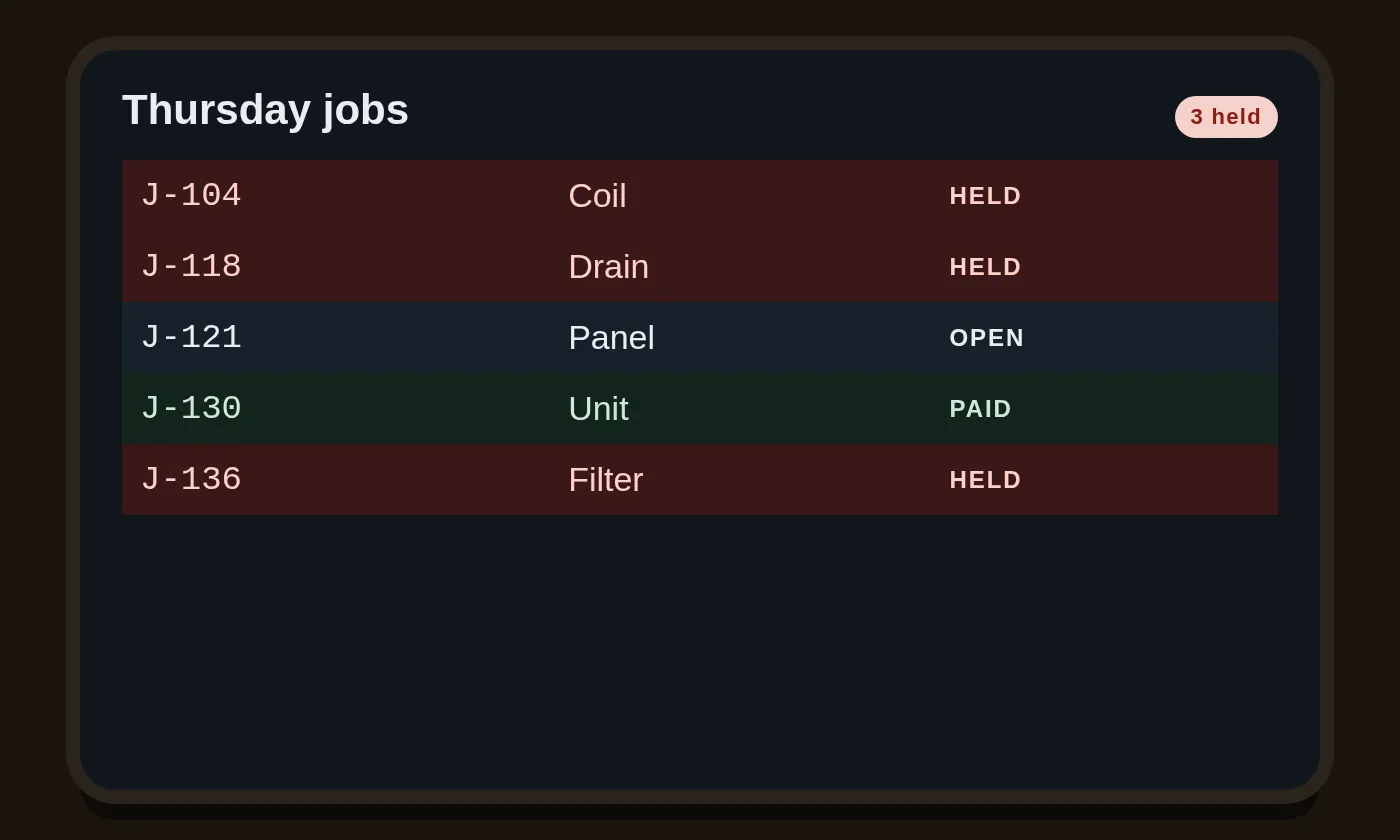
A payment still held
A payment in the holding account still needs a job. We name the job before the month closes.
Click to see where a payment lands ›Tap to see where a payment lands ›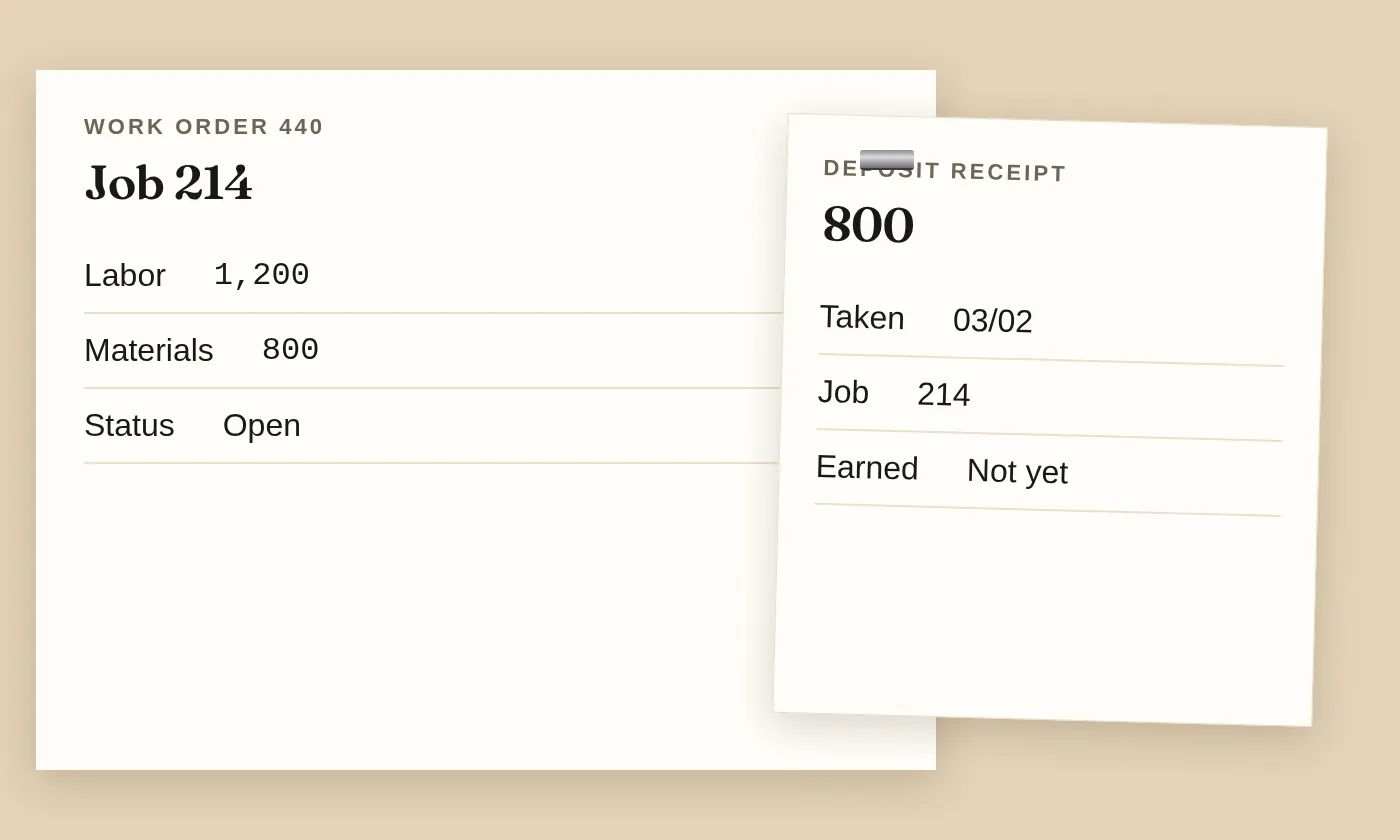
A deposit still unearned
A deposit on work you have not finished is not revenue yet. We hold it until the invoice earns it.
Click to see an unearned deposit ›Tap to see an unearned deposit ›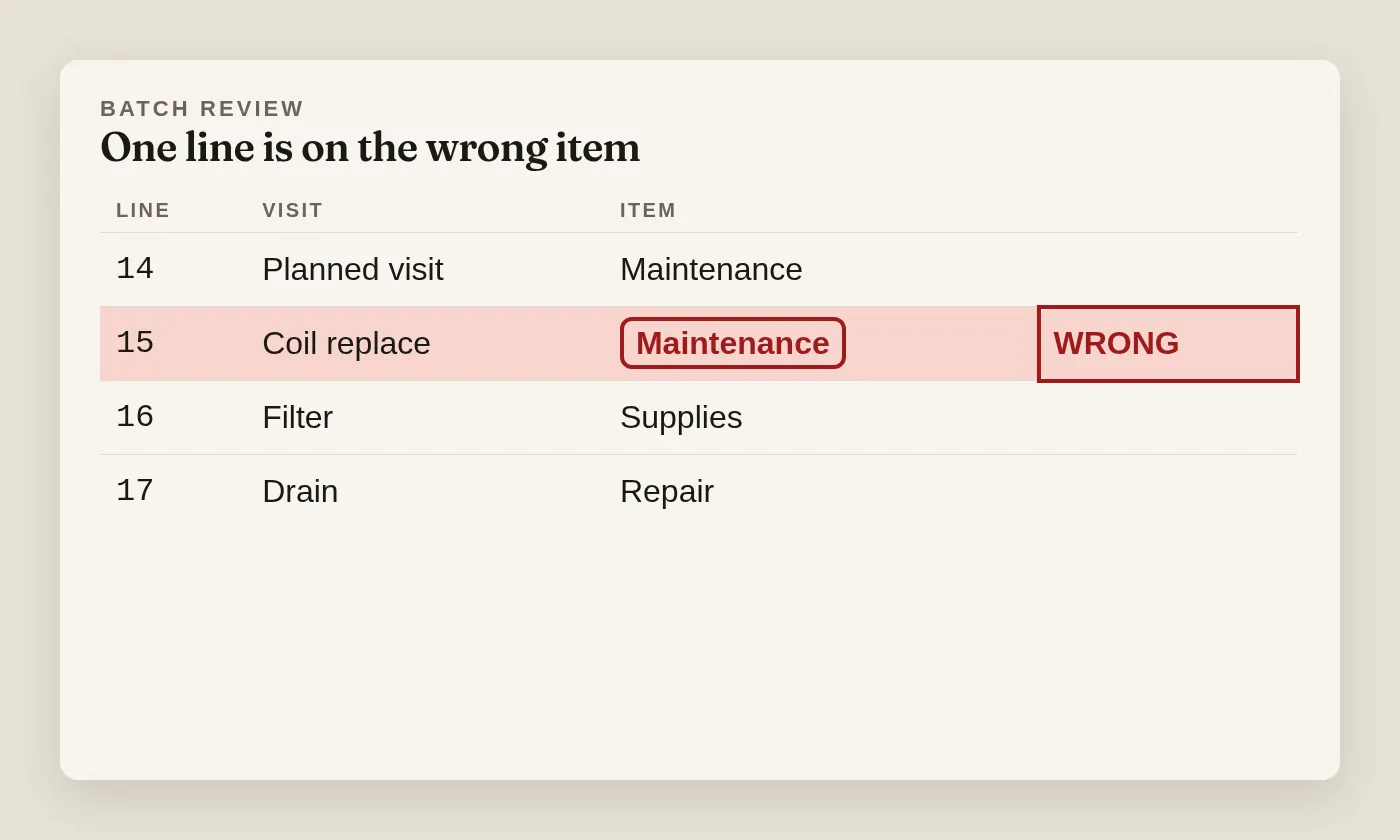
After the batch posts blind
A visit on the wrong item changes the books and the return. We read the batch before it posts.
Click to see a blind post ›Tap to see a blind post ›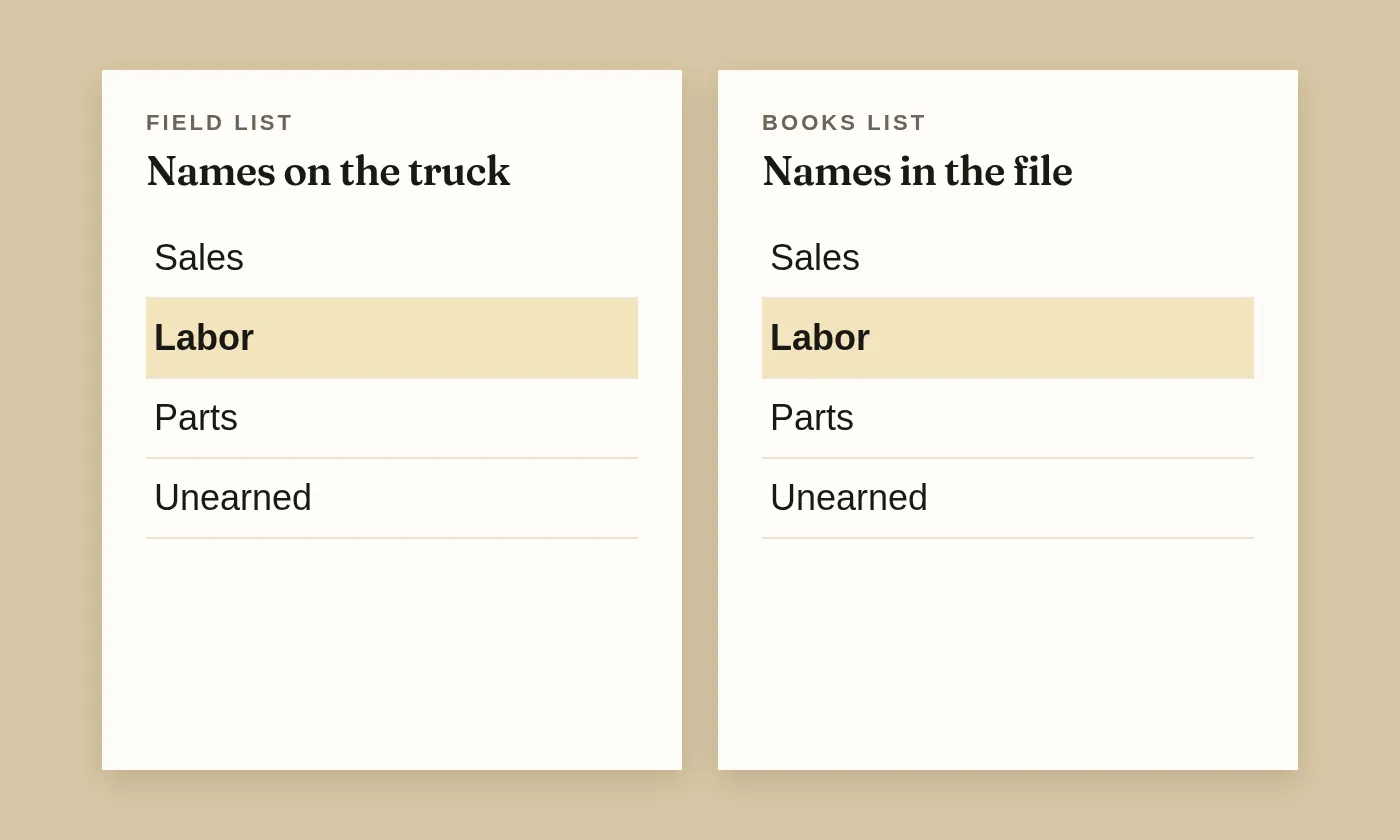
Account names that match
The field software and the books have to share account names, or the export fails without a sound. We line the names up.
Click to see the account names ›Tap to see the account names ›Six snags a field list hides
Open one card. The question we ask is on the back.
1Payment sitting in the holding account
We ask which job it belongs to
A positive payment usually credits what customers owe and debits the holding account. A blank job means the month cannot close clean.
2Pricebook item with an empty account
We stop the export
An item with no account fails the export. Naming the account before the file leaves is quieter than hunting the miss after.
3Invoice edited after it exported
We send an adjustment
The path is an adjustment invoice in the field software that exports and applies to the original. Name the months already filed before that adjustment goes.
4Maintenance visit booked as a repair
We split the two
A planned visit and a breakdown are different rows. The invoice has to say which one happened, or the month and the return inherit the wrong kind of work.
5Deposit still sitting in revenue
We move it to unearned
A deposit stays unearned until the invoice earns it. Folding sales tax into revenue on a separated bill hides the tax.
6Two systems whose account names differ
We line the names up
A touchless export needs the account names to match in both systems. A journal that skips the receivable will not close the invoice the export created.
Steven Palmieri is the Tax CFO. We are the Entrepreneur's CFO.
Click to see who reads this ›Tap to see who reads this ›The practice is in Dallas. Owners meet us on a video call, with the books shared and a calendar link, and the close lands on the day we agreed.
When a payment is still sitting with no job on it, send the list and we will read it with you. The relief is a month that ties, not a thicker report.
Bring the list that is still held
Name the snag in a sentence. We reply with a time, not a packet.
You will be talking to the Steven Palmieri practice.
The list, one layer down
What a positive payment does
A payment that leaves the field software as a positive amount generally does two quiet things. It credits what the customer still owes, and it debits the holding account most shops call undeposited funds. That is the ordinary path, and it is the one we want, because the invoice the export created can then close.
Payment types follow that path unless someone set them to export as a journal entry instead. A journal can be right for a rare case. It is wrong when it skips the receivable, because the invoice in the books stays open while the field software thinks it was paid. We look for that split before we call the month done.
The first time the two systems talk, someone has to sign in. That login stays with the company. The form on this site never asks for a password, and we will not take one over the phone either. If the names of the accounts are not the same in both places, the touchless export stops, and that stop is useful.
A pricebook item with no account
Every item in the pricebook needs an account or the export fails. The chart was mapped when the file was set up. A new item added on a truck, with the account left blank, is the usual miss. The invoice looks fine in the field software and then refuses to land.
Purchase orders can travel as non-posting orders, or they can convert to a bill. Bill lines can be filtered by customer so the job still carries its cost. We ask which of those the shop actually uses before we touch a setting. Changing a setting to make one invoice move can change every invoice after it.
Two accounts should stay active. The receivable and the holding account are defaults, and turning them off breaks the path the export expects. We leave them on. If a report looks noisy because of them, the noise is information, not a reason to hide the account.
An invoice changed after export
If an invoice changes after it has already exported, the vendor path is an adjustment invoice in the field software. That adjustment exports and applies to the original transaction in the books. Editing the books by hand and leaving the field software alone makes the next export fight the edit.
Before that adjustment is sent, name the months that are already filed. A change that reaches backward into a return that has gone out is a different conversation from a change that only touches an open month. An open month stays open in our notes until the bank total and the file total are the same number.
When the list finally ties, the feeling is plain relief, the kind that lets a Friday end. The holding account for that batch goes to zero, the job shows the payment, and the sales tax line matches the kind of work. A tied list is the finish line for that batch. No speech. Just rows that agree.
Which products can take the file
The integration overview names the products that can receive the export. QuickBooks Desktop, QuickBooks Online, Sage Intacct, Xero, and a CSV file are the ones on that list. Desktop Pro, Premier, and Enterprise, including the 2024 edition, are named as compatible. We ask which product the file is before we promise a path.
Intuit owns the QuickBooks name. This site is unaffiliated with Intuit and with ServiceTitan. We do not hold a trade license, and nothing here is an offer to repair a unit. The work is the list, the books, the statements, and the return that follows.
A CSV is the slow path, and sometimes it is the honest one. When the account names cannot be made identical, a file you can read row by row is safer than a touchless export that posts to the wrong account in silence. We would rather be slow on the first month than wrong on the twelfth.
A planned visit and a breakdown
A planned visit keeps equipment in ordinary running condition. A breakdown replaces or rebuilds something that failed. The books need both, on different items, because the return treats work that keeps property running differently from a cost that improves the property or restores it.
The record that saves the argument is plain. The visits were on a schedule, and the unit was running when the technician arrived. A shop that bills every visit as a repair, because the pricebook only has one item, hands the return a year that looks like one kind of work. We split the items before the batch posts.
On a bill that separates labor and materials, do not fold tax collected for a state into revenue. That tax is a liability until it is paid over. A permit fee that is stated separately, and that the contractor pays for the customer, may belong outside the revenue line. The invoice has to name the work. New work, a repair at a home, a repair at a place of business, or a planned visit.
Which of those four carry sales tax is not the same in every state. A rate belongs with the state rules, and this page leaves the number off. The rules for this state, including a repair and the annual entity report, are written on the state page. The national close still needs the four labels on the bill, because the return cannot invent them later.
The estimate dates
Owners who expect to owe generally pay estimates through the year. For an individual the usual dates are 15 April, 15 June, 15 September, and 15 January of the next year. A corporation generally pays on the 15th day of the fourth, sixth, ninth, and twelfth months of its year. Those dates sit on the shop calendar beside the day the month is tied.
A shop that only looks at the return in March is looking at a year that already happened. The estimate dates are how the year stays current. Form 1040-ES is the individual voucher. Form 1120-W is the worksheet corporations use to figure the installments. We do not invent a penalty on top of the form. If the year is running ahead of the estimates, we say so while a payment can still be raised.
Zero estimates are not the same as a year with nothing to file. A return can still be due when the estimates were zero. Form 2210 is where an individual underpayment is figured, and Form 2220 is the corporate cousin. We ask, before December, whether the open months will change the picture. The relief is a January that is not a surprise.
Bring the last estimate voucher with the batch. If the voucher and the open jobs disagree, that disagreement is the conversation. We would rather raise a September payment than explain a shortfall after the year has closed. The same close, on the day we agreed, is what makes that conversation possible.
What to have on the call
Bring the last export, the name of the product that received it, and one invoice that changed after it left. If a payment is sitting in the holding account, bring the job it should have hit. If a pricebook item failed, bring the item name. Twenty minutes is enough when those four things are on the table.
We work the past by cleaning the list that already posted wrong. We work the present by keeping the month that is open. We look toward the return while the year can still change. The same close, on the day we agreed, is the rhythm. The worry of a letter gets smaller when the list and the books tell the same story.